Straight to voicemail
Dial as you normally would. WhatCall takes you to voicemail so you can leave your message.
 WhatCall
Get the app
WhatCall
Get the app
LEAVE THE MESSAGE. SKIP THE CHAT.
Skip the ringing. Skip the conversation.
Dial with WhatCall to reach their voicemail and leave your message. They’ll see your number, just as they would on a normal call.
Free to download. Buy credits in the app when you’re ready to call.
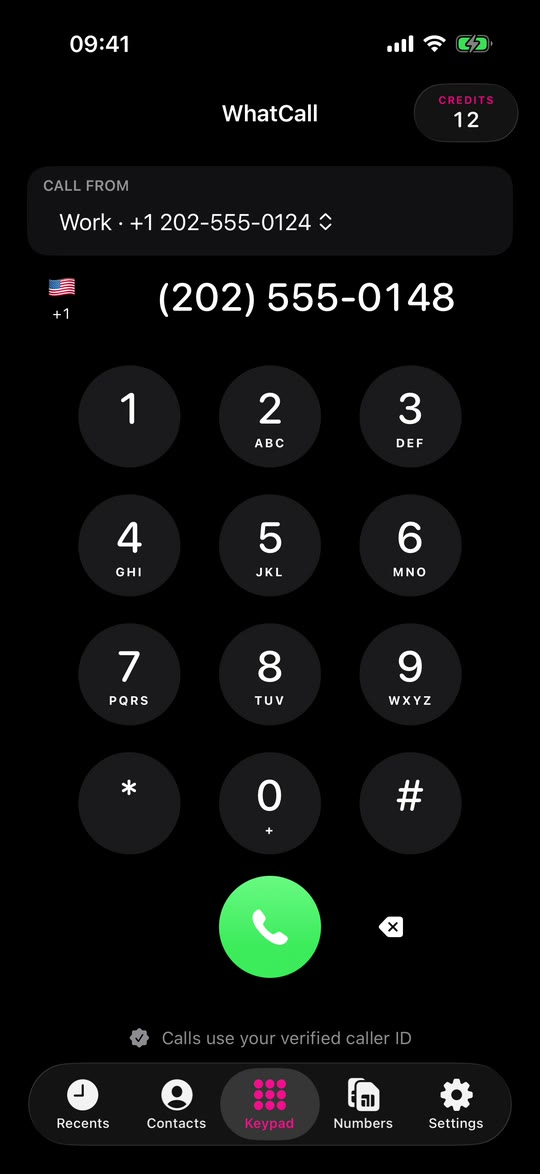
A DIFFERENT KIND OF PHONE CALL
Sometimes you need to call someone, but you don’t have time for a conversation. WhatCall lets you leave a voicemail and get on with your day.
Dial as you normally would. WhatCall takes you to voicemail so you can leave your message.
Speak live, just like a normal call. They’ll see your own number, so they know it’s you.
Call from the keypad or your contacts. Your balance and call history are easy to find.
MADE FOR REAL LIFE
Let your boss know you won’t be in, without a round of questions.
Return a call without getting pulled into a half-hour chat.
Leave an update when they’re in a meeting, driving or putting the baby down.
Say it in your own voice instead of typing a long paragraph.
THREE SIMPLE STEPS
Make the call and leave your message.
Type it in or choose someone from your contacts.
WhatCall sends your call to their voicemail, skipping the usual ringing.
Say what you need to say, then hang up. That’s it.
SEE THE APP IN ACTION
Choose the number to call from, dial, and hang up when you’re done.
This short walkthrough uses fictional numbers and a simulated call.
SIMPLE PRICING
Download WhatCall for free, then buy a credit pack in the app whenever you need one. You spend one credit when a call is answered. No answer? You keep your credit.
Voicemail, a person or an automated service all count as an answer.
GOOD TO KNOW
Here are answers to the questions we hear most often.
Still need help? Email usIf you’re asking about a call, please include the number you dialled and roughly when you called. Never send us a verification code.
Usually, no. WhatCall tries to send the call straight to voicemail, but networks and phone settings differ. Occasionally the phone may ring or someone may answer. If that happens, you can hang up.
Yes. People you call see the number you’ve confirmed in WhatCall. If you have more than one number, you can confirm each one and choose between them before you dial.
You use one credit when the call is answered, whether by voicemail, a person or an automated service. If it isn’t answered, you keep your credit. You can check your balance in the app.
The number shown on your calls must be one you own or are allowed to use. We can text or call you with a one-time code to confirm it. This doesn’t use a credit.
First, check the number and country code. You can request another text after a short wait, or choose an automated call instead. If you typed the wrong number, tap Edit number and try again.
WhatCall needs your microphone so you can speak when the call reaches voicemail. If you denied access, turn on Microphone for WhatCall in iPhone Settings.
Yes, in supported countries. Make sure the right country appears beside the keypad. If a number doesn’t work, try its full international format starting with +.
Yes. The number you call needs voicemail set up. Without it, the call may ring or reach a person instead.
With the new version, you’ll need to confirm your number again before calling. Your saved numbers and credits are still there.
It can take a moment for a purchase to appear. Open Credits and tap Refresh purchases. Still missing? Email us with the date you bought them. Never send us a verification code.
Look up the call in Recents. If you were charged for a call that never connected, email us the number you dialled and roughly when you called. We’ll check it.
SAY IT ON YOUR TERMS
Download WhatCall for iPhone and leave your message today.